CloudStream v4.8.0 Setup Guide: Download, Install and Add Extensions
Written by Zaryab, Founder & Editor, CloudStream Guide. Last updated: 30 September 2026. Based on the official release notes on GitHub.
Short answer: CloudStream v4.8.0 is the official “July Update”, published on GitHub on 10 July 2026 and currently marked as the latest stable release. To set it up, download the APK from the official GitHub releases page, install it, then add a repository and extensions, because the app ships with no content sources. It adds an intro skip database, a TV metadata overlay and more external players, and fixes security and download issues.
- v4.8.0 adds an intro skip database, a metadata overlay on TV and more external players.
- It also fixes some security and download issues and updates the filler database.
- Always download from the official GitHub page, never from random APK mirrors.
- Setup takes about 10 minutes: download, install, add extensions, restart.
- Back up your data before updating from an older version.
What is CloudStream v4.8.0?
CloudStream is a free, open-source app for streaming and downloading media on Android, Android TV and Fire TV. It hosts no movies or shows itself. It plays content through extensions that you add from repositories, so what you can watch depends on those extensions. On GitHub, v4.8.0 is titled “July Update” and is labelled the latest release.
| Detail | v4.8.0 |
|---|---|
| Release name | July Update |
| Version tag | v4.8.0 |
| Release date | 10 July 2026 |
| Platforms | Android, Android TV, Fire TV |
| Price | Free and open source |
| Official source | recloudstream/cloudstream on GitHub |
What is new in CloudStream v4.8.0?
The official notes list eight items. Here is each one in plain language.
| Listed change | What it means for you |
|---|---|
| Intro skip database | Lets the app offer a skip option for show intros where data exists |
| Metadata overlay on TV | Shows title details on the TV interface |
| More external players | Works with more third-party video players |
| Fixed security issues | Safer to run, which is a good reason to update |
| Fixed download issues | More reliable offline downloads |
| Updated filler database | Better marking of filler episodes in anime |
| Updated UI/UX | Refinements to look and navigation |
| Internal code changes | Under-the-hood work, no visible feature |
Intro skip and filler data depend on community databases, so coverage varies by title. The notes don’t promise every show is covered.
How do you download and install CloudStream v4.8.0?
Download the APK from the official GitHub releases page, allow installation from your browser or file manager, and tap Install. The whole process takes about five minutes.
Back up if you already use CloudStream
Go to Settings, Updates & Backup, tap Backup data and copy the file off the device. New users can skip this.
Download the APK
Open the button above, scroll to Assets and download the APK. Avoid files from unknown mirrors, which may be modified.
Allow installation
When Android warns about unknown sources, allow your browser or file manager to install apps. You can switch this off again afterwards.
Install the app
Open the downloaded file and tap Install. Installing over an older version normally keeps your settings and extensions.
Open CloudStream
Launch the app and pick your language and preferences. It will look empty until you add extensions.
Android TV and Fire TV: copy the APK to the device with a USB drive or a sideloading app, then install it from a file manager. Steps inside the app are the same.
How do you add extensions in CloudStream v4.8.0?
Open Settings, then Extensions, add a repository you trust and install the extensions you want. CloudStream ships without content sources on purpose, so a fresh install returns no search results until this step is done.
Open the Extensions menu
Go to Settings, then Extensions.
Add a repository
Tap Add repository and enter the name or URL from a source you trust. Only add repositories you have checked yourself.
Install extensions
Pick the extensions for the languages or content types you want and tap download.
Restart and search
Close and reopen the app, search for a title and confirm that links load.
Legal note: CloudStream itself hosts nothing, but what you stream through extensions is your responsibility. Only watch content you have the right to access under your local laws.
How do you fix common setup problems?
| Problem | Likely cause | Fix |
|---|---|---|
| App not installed | Older or different-signature version already present | Back up, uninstall the old version, then install again |
| No search results | No extensions added | Add a repository and install extensions |
| “No links found” | Provider down, outdated extension or blocked network | Update all extensions, try another provider or a different network |
| Downloads fail | Storage permission or full storage | Allow storage access, free space, retry |
| App crashes on open | Broken extension after update | Clear cache, remove recent extensions, restart |
How does v4.8.0 compare with older CloudStream versions?
The table uses only what the official notes list.
| Version | Release | Notable changes |
|---|---|---|
v4.5.4 | July Update + Patch | More external players, volume booster, download settings, 2x speed |
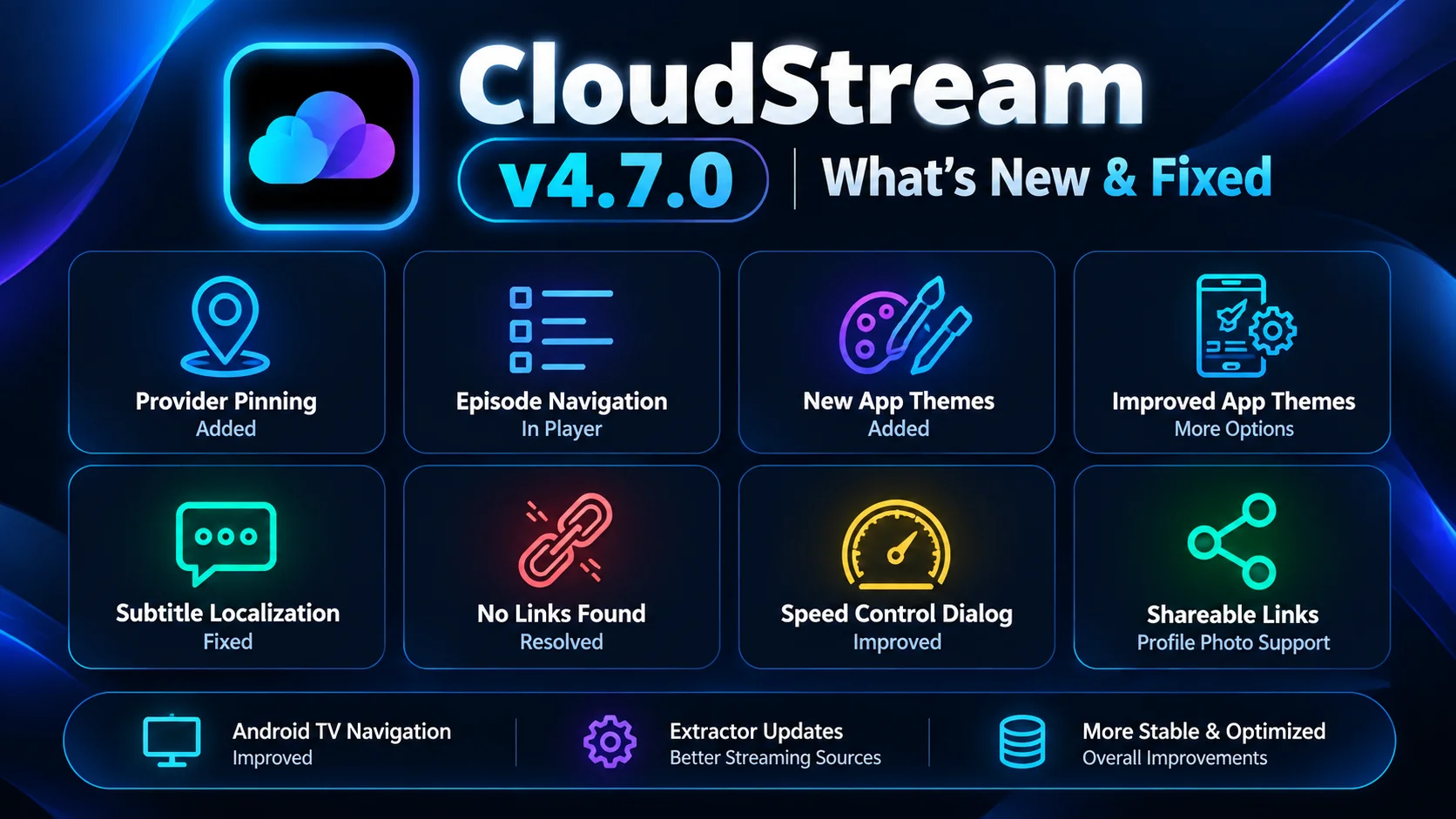
v4.7.0 | March Update | Brightness, zoom, title logo, download queue, new theme, memory leak fixes |
v4.8.0 | July Update | Intro skip database, TV metadata overlay, more external players, security and download fixes |
What is not in the v4.8.0 release notes?
Some websites claim extra features, exact app sizes, download counts or star ratings for v4.8.0. None of these appear in the official notes, and CloudStream is not on the Play Store, so no official rating exists. If a claim isn’t on the GitHub release page, treat it as unverified.
GitHub also shows a separate “pre-release” build, updated automatically with test changes. Most people should stay on the stable release.
CloudStream v4.8.0 FAQ
What is new in CloudStream v4.8.0?
The official July Update notes list an intro skip database, a metadata overlay on TV, more external players, security fixes, download fixes, an updated filler database, UI and UX updates, and internal code changes.
Is CloudStream v4.8.0 free?
Yes. CloudStream is a free, open-source app and is not sold on the Play Store.
Where do I download CloudStream v4.8.0 safely?
Use the official recloudstream GitHub releases page and pick the APK under Assets. Avoid APK files from unknown mirrors.
Does CloudStream v4.8.0 work on Android TV and Fire TV?
Yes. The app supports Android TV, and this release added a metadata overlay for TV.
Why does CloudStream show no results after install?
The app ships without content sources. You must add a repository and install extensions before search returns anything.
Will updating to v4.8.0 delete my data?
Installing over an older version normally keeps settings and extensions. Back up first from Settings, Updates & Backup.
Should I use the pre-release build?
Most people should use the stable release. Pre-release builds are automatic test builds and can contain unfinished changes.
Is CloudStream legal to use?
The app hosts no content itself, but what you stream through extensions is your responsibility. Only watch content you have the right to access under your local laws.
Sources and how this guide is kept accurate
- CloudStream v4.8.0 (July Update) release notes on GitHub.
- CloudStream v4.7.0 (March Update) release notes on GitHub.
- All CloudStream releases on GitHub.
Only changes named in the official notes are described here. This page is updated when a new stable release changes the advice.
Ready to install? Grab the official APK and follow the steps above.
⬇ Download CloudStream v4.8.0