CloudStream v4.5.4 (July Update): What’s New and Whether to Update
Written by Zaryab, Founder & Editor, CloudStream Guide. Last updated: September 2026. Based on the official release notes on GitHub.
Short answer: CloudStream v4.5.4 is the official “July Update + Patch”, published on 22 July 2025. It added more external players, a volume booster, download settings and 2x playback speed. It also fixed subtitle alignment and grouping, updated the extractors and the UI, and extended support for outdated extensions. Newer versions exist, so most people should install the latest stable release.
- v4.5.4 is an older release. v4.6.0 and later versions have followed.
- The headline additions are volume booster, 2x speed, more external players and download settings.
- The official notes do not claim to fix “No links found”, though updated extractors can help.
- Updating over v4.5.4 normally keeps your data, but back up first.
What is CloudStream v4.5.4?
CloudStream v4.5.4 is a stable release of the free, open-source streaming app for Android and Android TV. The app hosts no movies or shows itself. It plays content through extensions you add from repositories, so what you can watch depends on those extensions. On GitHub the release is titled “July Update + Patch”, and it follows the April Update (v4.5.2).
| Detail | v4.5.4 |
|---|---|
| Release name | July Update + Patch |
| Version tag | v4.5.4 |
| Release date | 22 July 2025 |
| Main focus | Playback controls, downloads, subtitles and extension support |
| Status today | Older release, newer versions are available |
| Official source | CloudStream GitHub releases page |
What is new in CloudStream v4.5.4?
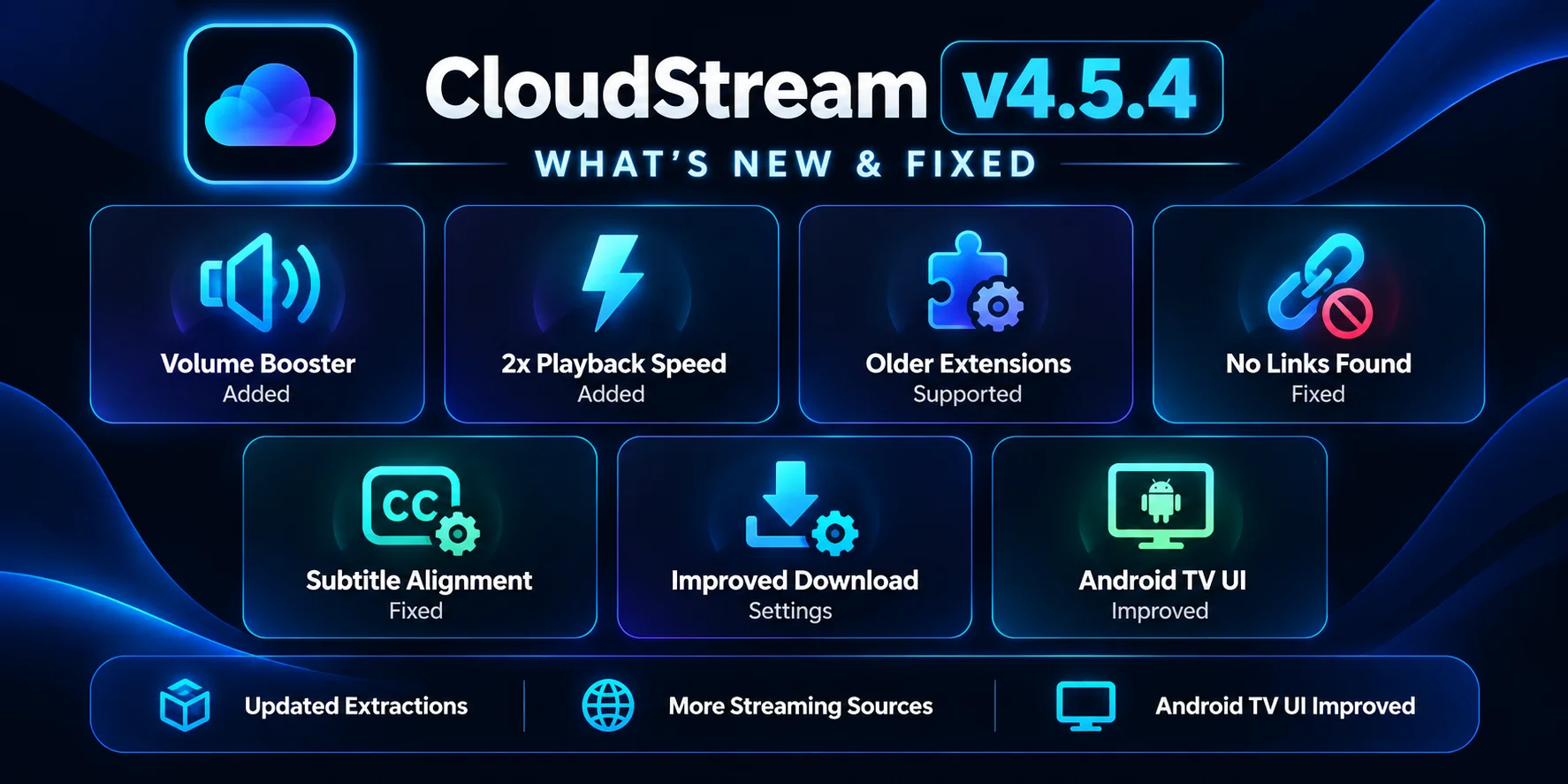
The official notes list four additions, two fixes and updates, and one patch item. Together they focus on playback control and on keeping extensions working. Here is each item in plain language.
| Listed change | What it means for you |
|---|---|
| More external players | Works with more third-party video players |
| Volume booster | Raises playback volume above the normal level |
| Download settings | Gives you more control over how downloads behave |
| 2x speed | Adds a double-speed playback option |
| Subtitle alignment and grouping fixed | Subtitles sit correctly and tracks are grouped more sensibly |
| Updated extractors and UI | Better link finding and a refreshed interface |
| Patch: outdated extensions | Extended support so more older extensions keep loading |
What do the new v4.5.4 features actually do for you?
Here is why each addition matters in daily use, without exaggeration.
Volume booster. Some videos are simply recorded quietly, and some phone or TV speakers are weak. A volume booster lets you go above the normal ceiling. Use it carefully, because pushing volume too far can distort sound or strain small speakers.
2x speed. A double-speed option is handy for recaps, long intros or content you want to skim. It is a small feature, but people ask for it often.
More external players. If you prefer a specific player for its codecs or controls, wider support gives you more choice about where a video opens.
Download settings. The notes don’t detail every option, so check the download section of the app settings. The point is more control over how offline downloads are handled.
Subtitle alignment and grouping. If subtitles sat in the wrong position or came in a confusing list, this fix cleans that up. For timing problems, which are a different issue, use the CloudStream subtitles guide.
Updated extractors and UI. Extractors are the parts that find playable links, so updating them keeps that process working. The UI update refines the look and navigation.
What does “Patch” mean in the v4.5.4 release?
The “Patch” in the release title refers to one line in the notes: extended support for outdated extensions. In practice, it means the app was made more tolerant of extensions built for older app versions, so more of them continue to load instead of failing.
It does not guarantee that every old extension works. Extensions still depend on outside websites, and the safest habit is to update all of them from Settings, then Extensions. If one keeps failing, remove it and reinstall it from a repository you trust.
Does CloudStream v4.5.4 fix “No links found”?
Not directly. The official notes don’t claim it. Updated extractors and extended support for outdated extensions can reduce link failures, but “No links found” usually comes from a provider that is down, an outdated extension or a network that blocks the source. Follow the steps in the “No links found” fixes.
What is not in the v4.5.4 release notes?
Some websites list extra items for v4.5.4, such as expanded streaming sources, removed background files, general crash fixes, an exact app size, download counts or a star rating. None of these appear in the official notes. CloudStream is not on the Play Store, so no official download counter or rating exists.
Tip: compare any guide with the official release notes. If a claim isn’t there, treat it as unverified.
How does v4.5.4 compare with other CloudStream versions?
The table uses only what the official notes list.
| Version | Date | Notable changes |
|---|---|---|
v4.5.1 | 4 Feb 2025 | Subtitle offset preview, torrent streaming, software decoding, multi-select downloads, dark theme |
v4.5.2 | 4 Apr 2025 | MyDramaList, subtitle grouping, episode sorting, MKV seeking |
v4.5.4 | 22 Jul 2025 | More external players, volume booster, download settings, 2x speed, extended support for outdated extensions |
| Latest stable | See guide | The main guide covers the current release |
See also the v4.5.1 guide and the v4.5.2 guide.
Should you update from CloudStream v4.5.4?
Yes, for most people. v4.5.4 was a useful release, but later versions keep the app compatible with current extensions and include newer fixes. Extensions change often, and an old app can stop matching them, which shows up as missing links.
Stay on v4.5.4 only for a specific reason, such as an old device or a setup you don’t want to change. Even then, keep a backup so you can recover if something breaks.
How do you download or update CloudStream from v4.5.4?
Back up your data, download the newest stable APK from the official GitHub releases page, and install it over your current app. Then update your extensions and restart.
Back up your data
Go to Settings, Updates & Backup, tap Backup data and copy the file off the device. See the backup and restore guide.
Download the latest stable APK
Use the official CloudStream GitHub releases page. Avoid APK files from unknown mirrors.
Install over the old version
Open the APK and tap Install. A newer version installed over an older one normally keeps your settings and extensions.
Update your extensions
Open Settings, Extensions, update all plugins, then close and reopen CloudStream.
Need v4.5.4 specifically? Older releases stay on the GitHub releases page. Android normally refuses to install an older version over a newer one, so you would have to uninstall first, which removes your app data. Make and copy a backup before you do that.
CloudStream v4.5.4 FAQ
What is new in CloudStream v4.5.4?
The official July Update + Patch notes list more external players, a volume booster, download settings, 2x playback speed, subtitle alignment and grouping fixes, updated extractors, an updated UI, and extended support for outdated extensions.
When was CloudStream v4.5.4 released?
It was published on GitHub on 22 July 2025, after v4.5.1 in February and v4.5.2 in April of the same year.
Does CloudStream v4.5.4 fix “No links found”?
The notes don’t claim that. Updated extractors and extended support for outdated extensions can reduce link failures, but a provider that is down or a network that blocks the source still causes the error.
What does extended support for outdated extensions mean?
It means the app is more tolerant of extensions built for older app versions, so more of them load. It does not guarantee that every old extension works, so keep your extensions updated.
Does CloudStream v4.5.4 have a volume booster?
Yes. The official notes list a volume booster, which raises playback volume above the normal level on quiet videos or weak speakers.
Will updating from v4.5.4 delete my extensions and settings?
Installing a newer version over the old one normally keeps them. A backup is still recommended before any update.
Should I still use CloudStream v4.5.4?
Only if you have a reason to stay on it. Newer releases such as v4.6.0 and later have followed, and the latest stable version is the better choice for most people.
Can I install v4.5.4 after using a newer version?
Android usually blocks installing an older version over a newer one, so you would need to uninstall first, which removes app data. Back up before doing this.
Sources and how this guide is kept accurate
- CloudStream v4.5.4 (July Update + Patch) release notes on GitHub.
- CloudStream v4.5.2 (April Update) release notes on GitHub.
- CloudStream v4.5.1 release on GitHub.
Only changes named in the official notes are described here. This page is updated when a new stable release changes the advice.
Want the current version? The main guide covers the latest release, install steps and repositories.
Read the main guide